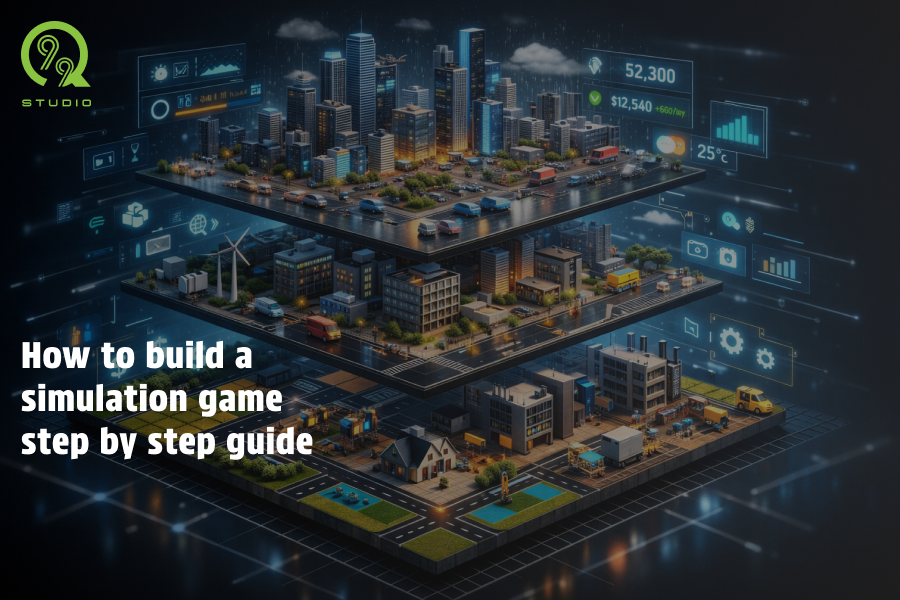
Simulation games have become one of the most engaging genres in modern gaming. From managing farms and running businesses to controlling cities, these games allow players to experience real-world systems in an interactive environment.
However, building a simulation game is not just about adding features. It requires a structured approach where systems, player actions, and progression are carefully designed to work together. For beginners, understanding this process step by step makes development more manageable and less overwhelming.
In this guide, we’ll walk through how to build a simulation game, explaining each stage clearly so you understand not just what to do, but also why it matters.
What is a Simulation Game?
A simulation game is designed to replicate real-world activities or systems in a virtual environment. Unlike action-based games, the focus here is on decision-making, planning, and gradual progression.
These games rely on multiple interconnected systems such as economy, time, and resources. When these systems respond logically to player actions, the game starts to feel realistic and engaging, as seen in examples like LinCity where players manage interconnected systems. That is the core of simulation game development creating an experience that feels both structured and interactive.
How to Build a Simulation Game
Developing a simulation game involves multiple stages. Each stage builds upon the previous one, ensuring that the final product is both functional and engaging.
Step 1: Create a Clear Game Concept
Define the simulation idea
The first step is to decide what your game will simulate. This might sound simple, but it sets the direction for the entire project.
For example, you could create:
- A farming simulation where players grow and sell crops
- A business simulation focused on managing finances
- A transport simulation involving logistics and delivery
A clearly defined idea helps you avoid confusion later and keeps development focused.
Identify the target audience
Understanding your audience helps determine how complex or simple your game should be. A casual mobile audience prefers easy mechanics, while PC players may expect more depth and realism.
Decide the platform
Choosing whether your game is for mobile, PC, or both affects performance requirements, controls, and overall design decisions.
Step 2: Plan Core Game Systems
Identify essential systems
Simulation games are built around systems that define how the game operates. These systems act as the backbone of your gameplay.
Common systems include:
- Resource management
- Economy
- Time progression
- AI behavior
- Each of these systems adds a layer of realism to your game.
Establish system relationships
It’s not enough to create systems independently they need to interact with each other.
For example, in a farming game:
- Weather affects crops
- Crops affect income
- Income affects upgrades
These connections are what make the gameplay feel meaningful rather than repetitive.
Step 3: Develop a Game Design Document
Document the game structure
Once your idea and systems are clear, it’s important to organize everything in a single document. This is known as a Game Design Document.
It typically includes:
- Game concept and objectives
- Core mechanics
- Progression system
- Visual style and references
This document acts as a guide throughout development and keeps everything aligned.
Define gameplay loops
A gameplay loop is the sequence of actions players repeat while playing.
For example:
- Perform an action → Get a result → Earn a reward → Repeat
A strong loop ensures that the game remains engaging over time and gives players a sense of progress.
Step 4: Build a Prototype
Create a basic version
At this stage, you begin development by creating a simplified version of your game. The focus should be on core mechanics rather than visuals.
This means:
- Basic interactions
- Simple UI
- One functional gameplay loop
The goal is to test the idea, not to create a polished product.
Validate the concept
Once the prototype is playable, you can evaluate whether the game feels engaging. This helps identify problems early and saves time in later stages.
Step 5: Design User Interface and Experience
Develop clear navigation
Simulation games can become complex, so the interface must remain simple and intuitive. Players should be able to understand controls and information without confusion.
Provide feedback
Every player action should have a visible or audible response. This helps players understand the impact of their decisions and improves overall experience.
Step 6: Expand Game Features
Add progression elements
Once the core gameplay is working, you can start adding features that keep players engaged over time.
These may include:
- Levels and achievements
- Unlockable content
- Upgrades and expansions
Progression gives players a reason to continue playing.
Enhance existing systems
Instead of adding too many new features, focus on improving the systems you already have. Adding depth gradually ensures better balance and performance.
Step 7: Testing and Iteration
Identify issues
Testing helps uncover bugs, performance problems, and gameplay imbalances. This stage is essential to ensure the game works smoothly.
Improve based on feedback
Feedback from players or testers helps you understand what needs improvement. Making small adjustments repeatedly leads to a better final product.
Step 8: Final Development and Launch
Optimize performance
Before launching, ensure your game runs smoothly across all target devices. Performance issues can negatively affect user experience.
Prepare for release
Finalize visuals, sound, and gameplay elements. At this stage, the game should feel complete and polished.
Step 9: Post-Launch Improvements
Monitor user behavior
After release, observe how players interact with your game. This helps identify areas that need improvement.
Release updates
Regular updates, bug fixes, and new features keep the game relevant and engaging over time.
Final Thoughts
Building a simulation game is a structured process where each step contributes to the overall experience. By focusing on clear concepts, well-connected systems, and continuous improvement, developers can create games that feel both realistic and engaging.
For those looking to simplify the process or build a high-quality product, working with an experienced team can be a practical approach.
Q99studio supports end-to-end simulation development, helping turn ideas into fully developed games. If you are planning to build a simulation game, partnering with a reliable game development company or agency can make the process more efficient and result-driven.



 B - 433-442, Money Plant High Street, Near Ganesh Glory, Jagatpur Road, S.G. Highway, Ahmedabad - 382470.
 11006 Kirker Ln, Richmond, TX 77407, USA